
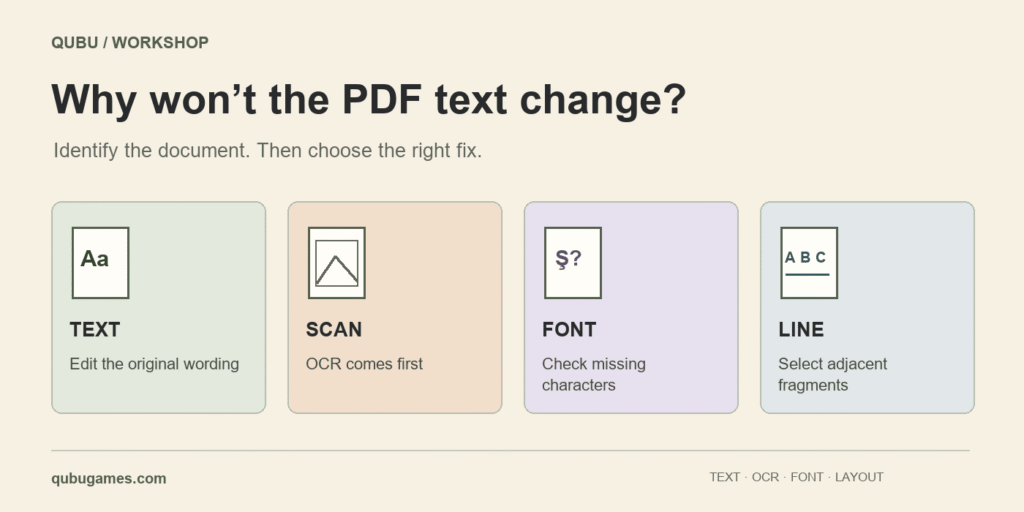
Try selecting and copying a word from the PDF first. If you cannot select it, the page may contain a scan or letters converted to outlines. If selection works but a new character will not appear, check the embedded font and character mapping. These problems can look alike on screen, but they need different fixes.
For a small correction to an address, date or description, try the QUBU PDF editor. If you only need to extract pages or combine files, the PDF splitter and merger is the shorter route. The checks below help you work out what kind of document you have before editing it.
Quick diagnosis: What happens when you try to edit?
| Symptom | Possible cause | First step |
|---|---|---|
| The page behaves like one photograph. | A scan or another image-based document. | Run OCR, or request a text-based PDF exported from the source document. |
| Text is selectable, but a new letter produces an error. | A missing font glyph or an insufficient character mapping. | Supply the matching full font, or explicitly choose an available substitute. |
| Clicking an address selects only a few letters. | One visible line contains several PDF text objects. | Use an editor that can select adjacent fragments together. |
| The replacement overlaps a nearby field. | The new text is longer; the page does not automatically reflow. | Shorten the wording, use another line, or edit the source document. |
| The editor reports a password or an editing restriction. | Document protection or a tool limitation. | Ask the document owner for a copy you are authorised to edit. |
1. A scanned PDF is different from a text-based PDF
A scanned page can show perfectly legible letters without containing editable text. Try selecting and copying a few words. If that fails, a scan is one possibility, but it is not a definitive diagnosis: outlined letters or document permissions can give similar results.
Optical character recognition (OCR) identifies letters in an image and creates a text layer. Names, numbers and accented characters still need checking. Adobe’s guide to editing scanned documents explains this workflow and the importance of reviewing recognition results. QUBU’s current text editor does not perform OCR. Clicking a scanned word cannot automatically convert its image pixels into editable letters.
2. Why does the original font reject a new character?
A PDF can carry only the portion of a font needed to display its original text. That embedded font subset may be adequate for reading but lack a letter needed for a later correction. Adobe’s font embedding documentation distinguishes a complete embedded font from a subset containing the characters used in the file.
For a fictional example, a document containing Address: CENTRAL ROAD 12 does not necessarily include the characters required for Çağlayan Şişli. The editor can first try reusing the embedded font. If the glyph is genuinely absent, a full TTF/OTF file of the same family and weight, which you have the right to use, gives the closest match. A substitute can change letter shapes and line width. Preserving the point size does not guarantee an identical appearance.
3. Why does an address break into tiny editable fragments?
A PDF describes a page’s appearance; a visible line does not have to be stored as a single paragraph. Export software can split even one word into multiple objects to adjust letter spacing. Selecting only two or three letters in the middle of an address therefore does not necessarily mean that the document is damaged.
QUBU groups adjacent fragments on the same line when their style matches, while keeping distant columns and different styles separate. This makes an address easier to edit as a line. Some nested PDF objects and differently oriented text remain outside the supported cases. When the structure cannot be handled reliably, correcting the source document is preferable to concealing old words behind a white rectangle.
4. Do I have to type replacement text to delete a line?
No. In QUBU, click the text and use Delete / Delete line. You can also clear the selected text completely and press Enter. You do not need to replace the line with a space or another sentence. Undo restores an accidental removal.
This is content editing, not a verified redaction service that guarantees removal of sensitive information from every document structure. Also distinguish original text from comments, annotations and form values: changing one does not necessarily change the others.
5. Why does text shift, or disappear from the downloaded result?
A replacement normally starts at an existing position; neighbouring columns do not move aside to make room. If an address is longer, shorten it or adjust its layout in the source document. Switching fonts can also alter its width. The preview is useful, but it is not the final check.
- Work on a copy of the original.
- Make a small correction and press Enter to apply it.
- Inspect nearby lines, table headings and the page count.
- Choose Download PDF at the top. If the browser does not start downloading, use the provided download-again link.
- Open the downloaded copy in a separate PDF viewer. Search for the new wording and review the removed text and page layout.
Which QUBU tool should you use?
Use the PDF editor to change or remove existing text. Use the PDF splitter and merger to extract, reorder or combine pages without changing their wording. The editor accepts one PDF up to 25 MiB and 300 pages; individual tool pages explain their other limits. QUBU processes these files in your browser, without uploading the document for editing.
For a game production document, updating the decisions in the GDD builder and exporting again may be more practical than repeatedly correcting an old PDF. You can find the other helpers in the free tools drawer.